Fzf preview mine
1. 6. 2026SIXELS ↓
Image display part will only work with terminals that support sixels, and even then things get tricky.
Install ↓
Something like that in .zshrc
# making FZF to look like my fancy note script
# Black & white - explicitly disable all colors
export FZF_DEFAULT_OPTS="--no-color --pointer='>' --color=fg:-1,bg:-1,hl:-1,fg+:-1,bg+:-1,hl+:-1,info:-1,prompt:-1,spinner:-1,pointer:-1,marker:-1,border:-1"

# CTRL-T command - recent files first
export FZF_CTRL_T_COMMAND='find . -type f -not -path "./.git/*" -printf "%T@ %P\n" 2>/dev/null | sort -nr | cut -d" " -f2-'
# or faster find with fdfind
# export FZF_CTRL_T_COMMAND='fdfind . --type f --hidden --exclude .git --strip-cwd-prefix -x stat -c "%Y %n" {} \; 2>/dev/null | sort -nr | cut -d" " -f2-'

# Preview configuration
export FZF_CTRL_T_OPTS="
  --no-color
  --prompt='file> '
  --pointer='>'
  --marker='*'
  --bind='tab:toggle'
  --preview='fzf_preview_mine {}'
  --preview-window='right:50%:wrap:noinfo'
  --height=80%
  --reverse"
edit: Omit ‘export FZF_CTRL_T_COMMAND=’ to have default fzf find behaviour with interactive update of files/dirs.
And the preview script fzf_preview_mine. Should handle a subset of txt, epub, pdf, video, audio, image files as 2nd pane fzf preview. Needs sixels and some apps like: ffmpeg, mediainfo, mpv, chafa, imagemagick convert (psd), inkscape (svg), atool (preview archives) …
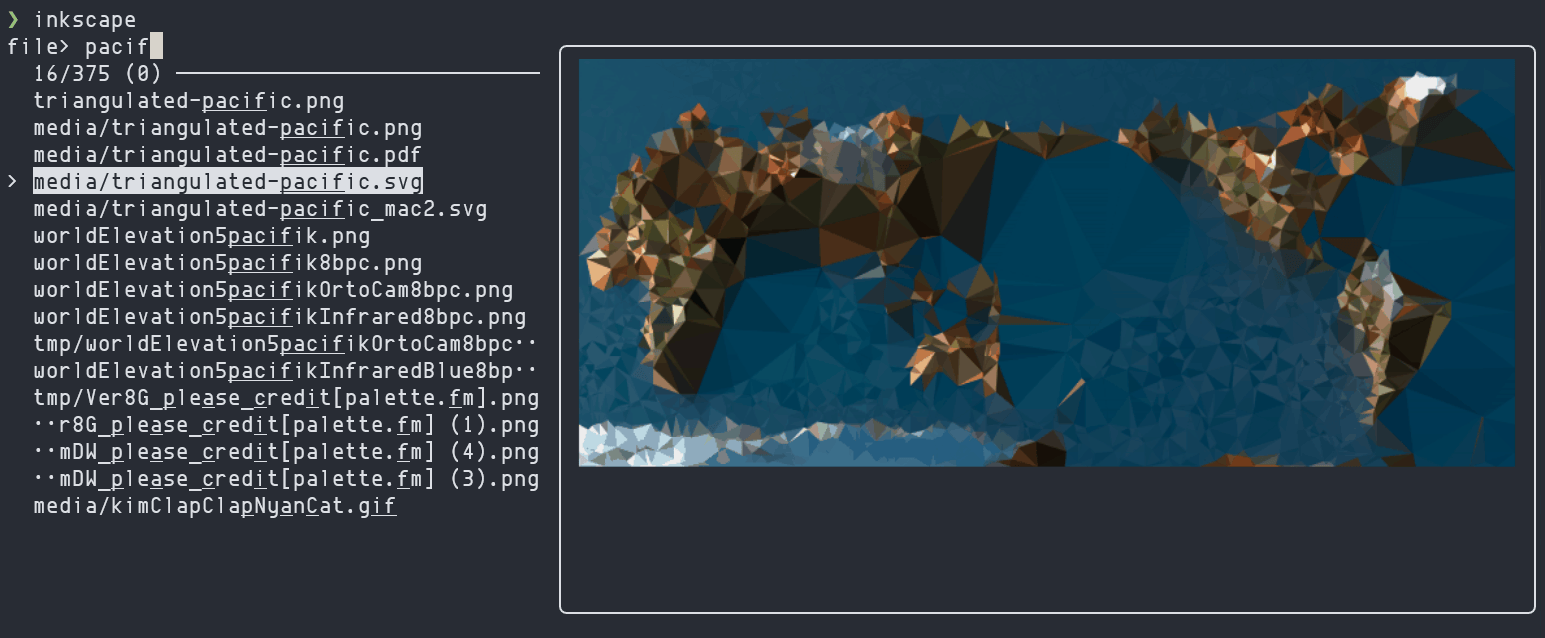
edit: Updated script also support exr and hdr images (with png caching) using oiiotool.
tested with ↓
Chafa version 1.18.2
fzf 0.60 (devel)
wt 1.24.11321.0
Newer might be fine.
Not mine ↓
https://github.com/juanmitaboada/preview
https://github.com/semi710/fzf-preview/blob/master/fzf-preview