Note taking script
18. 5. 2026note ↓
needs: fzf, ripgrep (rg)
note --help

Usage:

note n "title"          → new note with explicit title
note "text"             → create/reopen note
note l                  → list
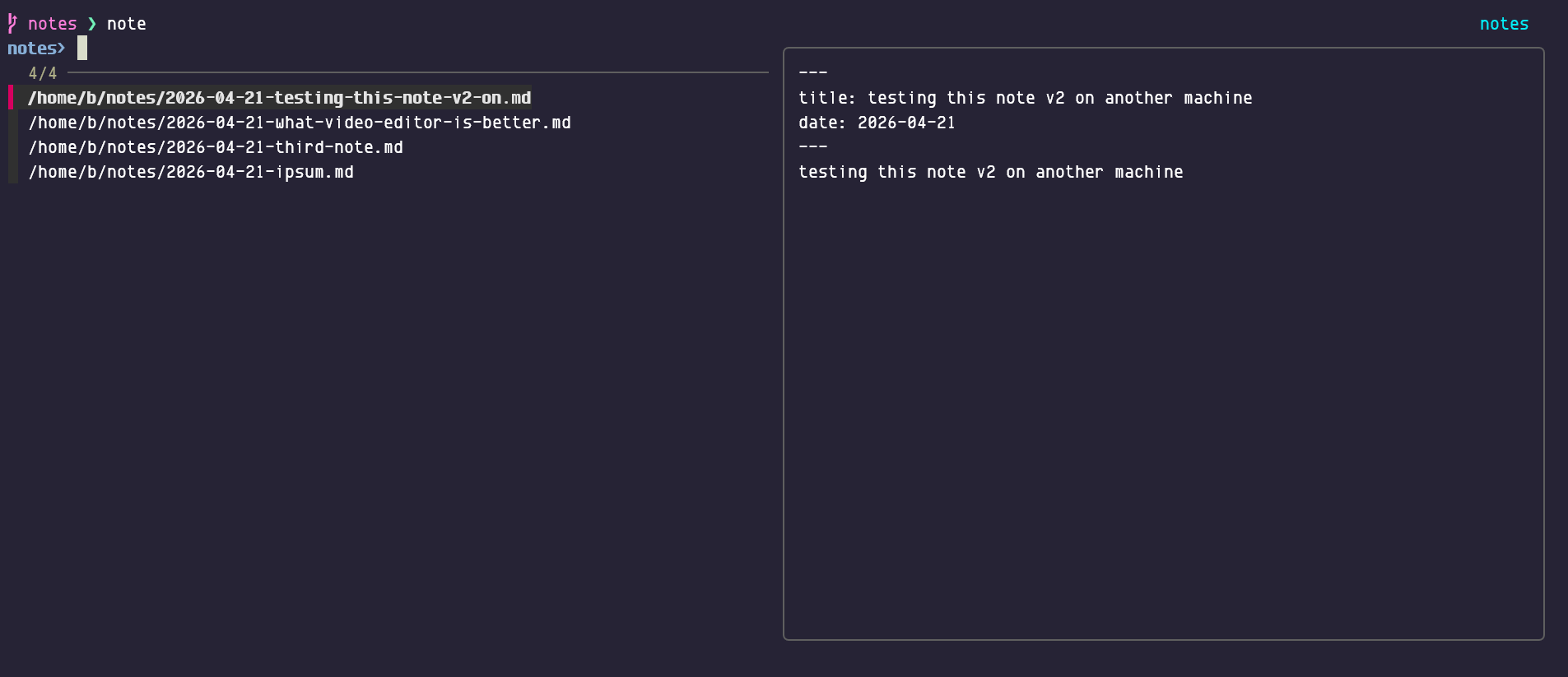
note o                  → open (fzf)
note s                  → search (rg|fzf)
note c                  → cat latest n notes
note rm                 → move to .trash
note pull               → git pull
note push               → git push
note --longhelp | less  → full help
note h                  → this help

Storage: /home/b/notes
Multiple parameters to run same command, for example
note
# and
note open
are the same (neat little dual pane tui is presented), and if you add a parameter (file name approximation)
note open gemma
it will open first filename that has some gemma in there. Search is similar.
note s
will open neat little tui as well, piping ripgrep output to fzf and behaving like file selector.
note c
note c 3
should cat last changed note or last 3 changed notes.
note list
should list files/notes to stdout, not sure if this is needed (open does similar job).
Text editor, by default $EDITOR variable is used, if undefined it will try to load hx (helix) or vim or nano. Configure to your needs. By default notes will be stored in $HOME/notes, configure as needed.
Not needing the specific title is the idea as well, so
note nice weather today
shall make a note with filename ‘2026-04-27-nice-weather-today.md’.
misc ↓
about fzf scrolling ↓
Up and down will select files, shift+up and shift+down will scroll the text pane on the right (mice should also work).
Scrot (‘open note’ fzf tui):
Note syncing ↓
of $HOME/notes is up to the user. I use git.
noteurls (‘plugin’) ↓
Separated script with similar tui that will extract urls from notes and open one or two in browser (tab toggles selected). Buggy when trying to open urls from markdown notes. FIXME Maybe fixed.
llm-md-fix ↓
Fix markdown using local gemma4 model. Will write ‘fixed’ version to stdout. (Much faster version would be node cli tool markdownlint --fix some.md)
noteweb ↓
Display notes in localy generated html page (needs rewrite).
pipe to ↓
Find the 1st note that has ‘jobs’ in the title and pipe to terminal markdown renderer:
note c jobs | glow -w 120
Pretty neat markdown render in terminal. Glow is in Trixie repos.